先科普一下热更新是啥
就是类似pc端和移动端的游戏,每次要更新时不去重新下载,而是对比服务器站点上的包,按差距更新到最新的包
博客示范前提,你已经掌握pc端的发布以及移动端的发布
接着我们使用大佬的热更新插件,5软妹币其实也不贵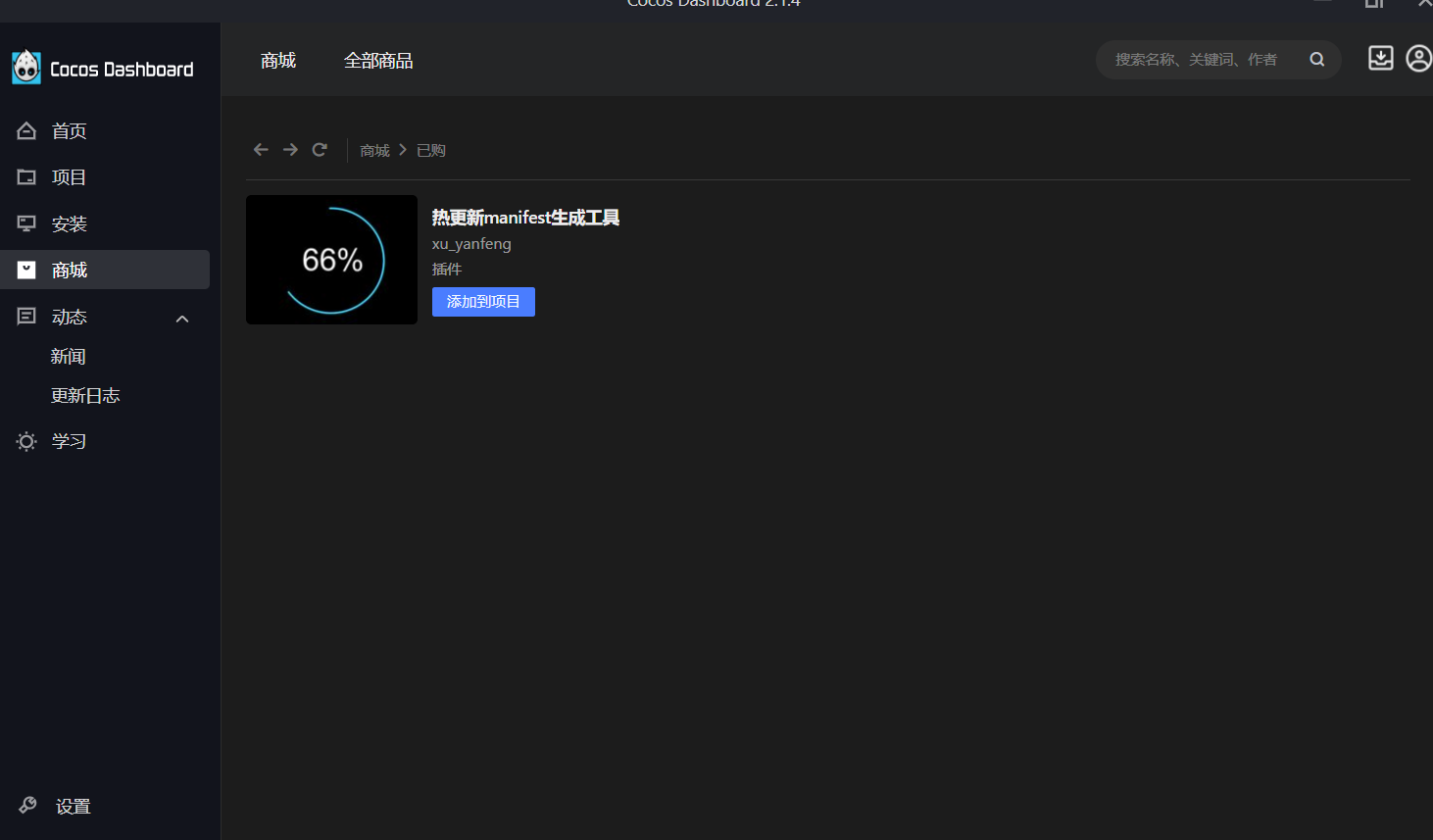
点进去之后选择你对应的cocos开发项目版本,我的版本是2.4.11也就是2x
然后点击添加项目到对应的项目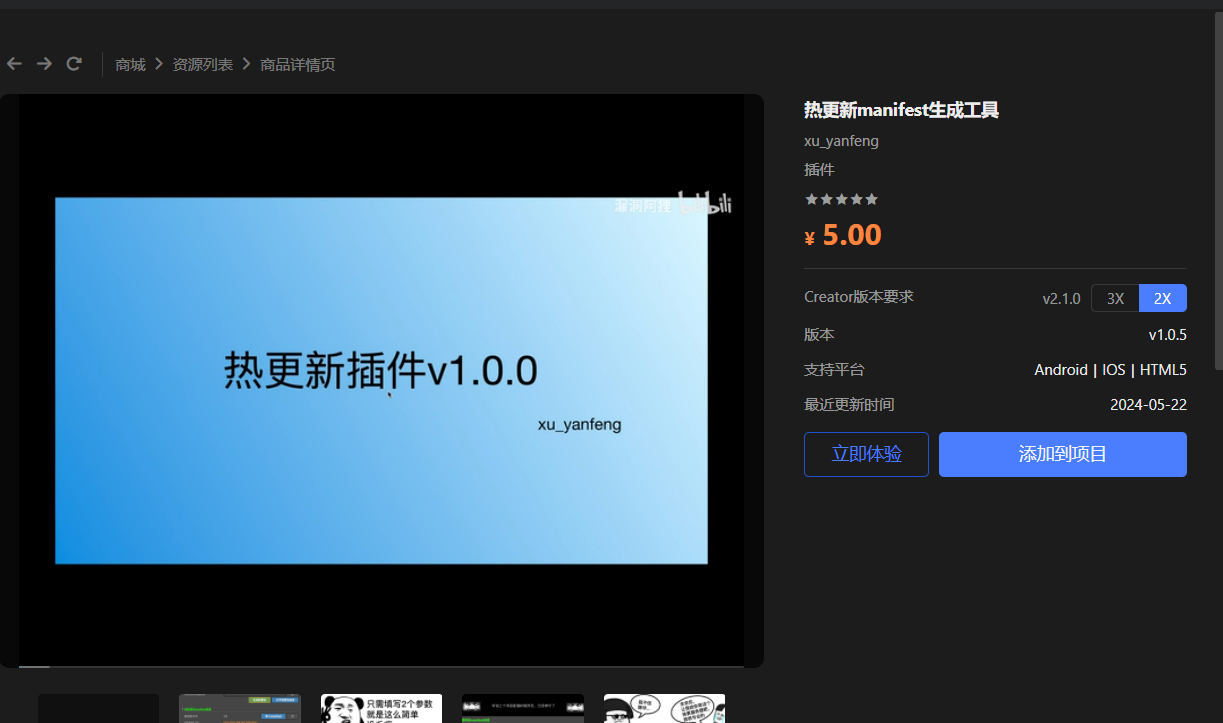
打开你配置了热更新插件的项目,左上角项目会有一个热更新工具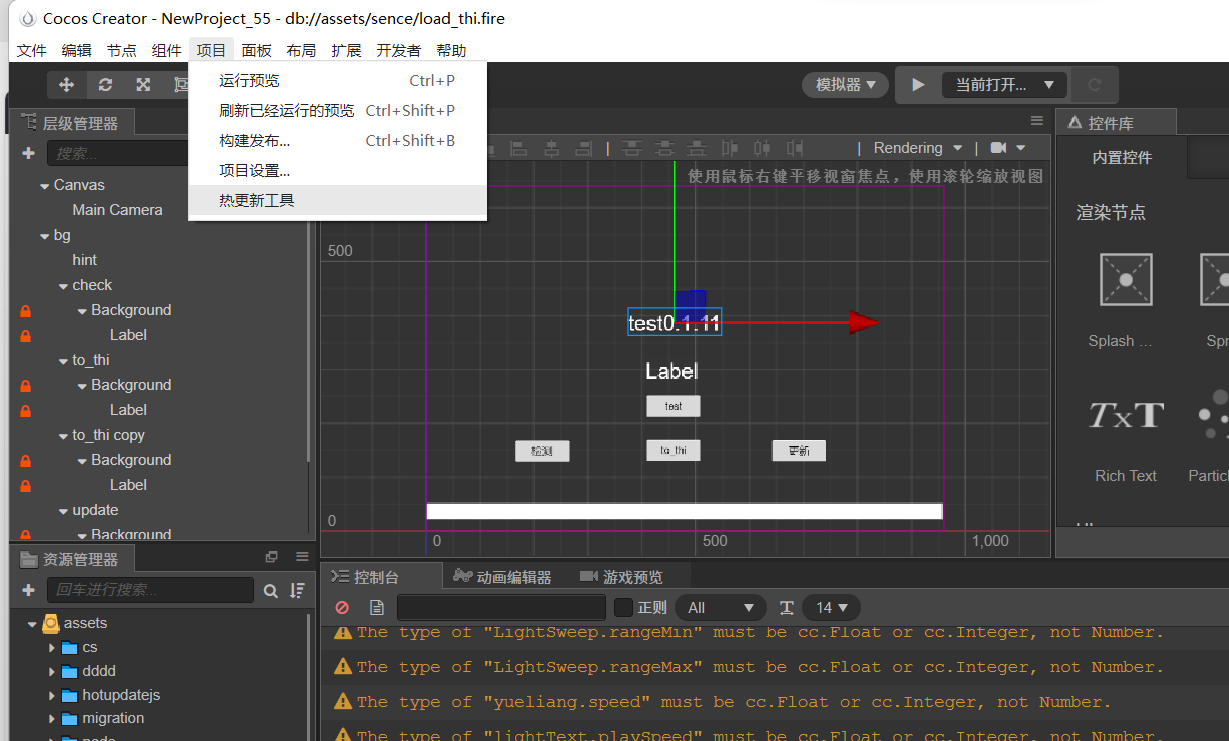
之后创建一个用来热更新的场景
如何创建可以看这个阿信OLup主的,这里不多介绍
跳转链接
热更新使用的代码改成这个,主要是把this._am.loadLocalManifest(this.manifestUrl) 把括号里的 this.manifestUrl改成 this.manifestUrl.nativeUrl,使用就按阿信OLup主的方式使用就行,当然如果你水平足够高可以,去看制作插件的大佬的cocos使用源码修改
cc.Class({

extends: cc.Component,


properties: {

    manifestUrl: cc.Asset,

    _updating: false,

    _canRetry: false,

    _storagePath: '',

    label: {

        default: null,

        type: cc.Label

    },

},


checkCb(event) {

    cc.log('Code: ' + event.getEventCode());

    switch (event.getEventCode()) {

        case jsb.EventAssetsManager.ERROR_NO_LOCAL_MANIFEST:

            this.label.string = '本地文件丢失';

            break;

        case jsb.EventAssetsManager.ERROR_DOWNLOAD_MANIFEST:

        case jsb.EventAssetsManager.ERROR_PARSE_MANIFEST:

            this.label.string = '下载远程mainfest文件错误';

            break;

        case jsb.EventAssetsManager.ALREADY_UP_TO_DATE:

            this.label.string = '已经是最新版本';

            break;

        case jsb.EventAssetsManager.NEW_VERSION_FOUND:

            this.label.string = '有新版本发现,请点击更新';

            // this.hotUpdate();

            break;

        default:

            return;

    }


    this._am.setEventCallback(null);

    this._checkListener = null;

    this._updating = false;

},


updateCb(event) {

    var needRestart = false;

    var failed = false;

    switch (event.getEventCode()) {

        case jsb.EventAssetsManager.ERROR_NO_LOCAL_MANIFEST:

            this.label.string = '本地版本文件丢失,无法更新';

            failed = true;

            break;

        case jsb.EventAssetsManager.UPDATE_PROGRESSION:

            let percent = parseInt(event.getPercent() * 100);

            if (Number.isNaN(percent)) percent = 0;

            this.label.string = '更新进度:' + percent;

            break;

        case jsb.EventAssetsManager.ERROR_DOWNLOAD_MANIFEST:

        case jsb.EventAssetsManager.ERROR_PARSE_MANIFEST:

            this.label.string = '下载远程版本文件失败';

            failed = true;

            break;

        case jsb.EventAssetsManager.ALREADY_UP_TO_DATE:

            this.label.string = '当前为最新版本';

            failed = true;

            break;

        case jsb.EventAssetsManager.UPDATE_FINISHED:

            this.label.string = '更新完成. ' + event.getMessage();

            needRestart = true;

            break;

        case jsb.EventAssetsManager.UPDATE_FAILED:

            this.label.string = '更新失败. ' + event.getMessage();

            this._updating = false;

            this._canRetry = true;

            break;

        case jsb.EventAssetsManager.ERROR_UPDATING:

            this.label.string = '资源更新错误: ' + event.getAssetId() + ', ' + event.getMessage();

            break;

        case jsb.EventAssetsManager.ERROR_DECOMPRESS:

            this.label.string = event.getMessage();

            break;

        default:

            break;

    }


    if (failed) {

        this._am.setEventCallback(null);

        this._updateListener = null;

        this._updating = false;

    }


    if (needRestart) {

        this._am.setEventCallback(null);

        this._updateListener = null;

        // Prepend the manifest's search path

        var searchPaths = jsb.fileUtils.getSearchPaths();

        var newPaths = this._am.getLocalManifest().getSearchPaths();

        cc.log(JSON.stringify(newPaths));

        Array.prototype.unshift(searchPaths, newPaths);

        // This value will be retrieved and appended to the default search path during game startup,

        // please refer to samples/js-tests/main.js for detailed usage.

        // !!! Re-add the search paths in main.js is very important, otherwise, new scripts won't take effect.

        cc.sys.localStorage.setItem('HotUpdateSearchPaths', JSON.stringify(searchPaths));

        jsb.fileUtils.setSearchPaths(searchPaths);


        cc.audioEngine.stopAll();

        cc.game.restart();

    }

},


retry() {

    if (!this._updating && this._canRetry) {

        this._canRetry = false;


        this.label.string = '重现获取失败资源...';

        this._am.downloadFailedAssets();

    }

},


checkUpdate() {

    if (this._updating) {

        this.label.string = '检查更新中...';

        return;

    }


    if (this._am.getState() === jsb.AssetsManager.State.UNINITED) {

        this._am.loadLocalManifest(this.manifestUrl.nativeUrl);

    }

    if (!this._am.getLocalManifest() || !this._am.getLocalManifest().isLoaded()) {

        this.label.string = '本地manifest加载失败...';

        return;

    }

    this._am.setEventCallback(this.checkCb.bind(this));


    this._am.checkUpdate();

    this._updating = true;

},


hotUpdate() {

    if (this._am && !this._updating) {

        this._am.setEventCallback(this.updateCb.bind(this));


        if (this._am.getState() === jsb.AssetsManager.State.UNINITED) {

            this._am.loadLocalManifest(this.manifestUrl.nativeUrl);

        }


        this._failCount = 0;

        this._am.update();

        this._updating = true;

    }

},


// use this for initialization

onLoad() {

    if (!cc.sys.isNative) {

        return;

    }


    this._storagePath = ((jsb.fileUtils ? jsb.fileUtils.getWritablePath() : '/') + 'remote-asset');

    cc.log('Storage path for remote asset : ' + this._storagePath);


    this.versionCompareHandle = (versionA, versionB) => {

        this.label.string = 'Compare: version A is ' + versionA + ', version B is ' + versionB;

        var vA = versionA.split('.');

        var vB = versionB.split('.');

        for (var i = 0; i < vA.length; ++i) {

            var a = parseInt(vA[i]);

            var b = parseInt(vB[i] || 0);

            if (a === b) {

                continue;

            }

            else {

                return a - b;

            }

        }

        if (vB.length > vA.length) {

            return -1;

        }

        else {

            return 0;

        }

    };


    // Init with empty manifest url for testing custom manifest

    this._am = new jsb.AssetsManager('', this._storagePath, this.versionCompareHandle);

    this._am.setVerifyCallback((path, asset) => {

        var compressed = asset.compressed;

        var expectedMD5 = asset.md5;

        var relativePath = asset.path;

        var size = asset.size;

        if (compressed) {

            this.label.string = 'Verification passed : ' + relativePath;

            return true;

        } else {

            this.label.string = 'Verification passed : ' + relativePath + ' (' + expectedMD5 + ')';

            return true;

        }

    });


    this.label.string = '热更新组件加载完毕,请手动点击检测按钮';


    if (cc.sys.os === cc.sys.OS_ANDROID) {

        // Some Android device may slow down the download process when concurrent tasks is too much.

        // The value may not be accurate, please do more test and find what's most suitable for your game.

        this._am.setMaxConcurrentTask(2);

        // this.label.string = 'Max concurrent tasks count have been limited to 2';

    }


    //检查更新

    // this.checkUpdate();

},


onDestroy() {

    if (this._updateListener) {

        this._am.setEventCallback(null);

        this._updateListener = null;

    }

}

});
接下来去构建你的项目,我这里构建的是window端的,然后下面的操作按我的勾选来就行,MD5一定不能勾选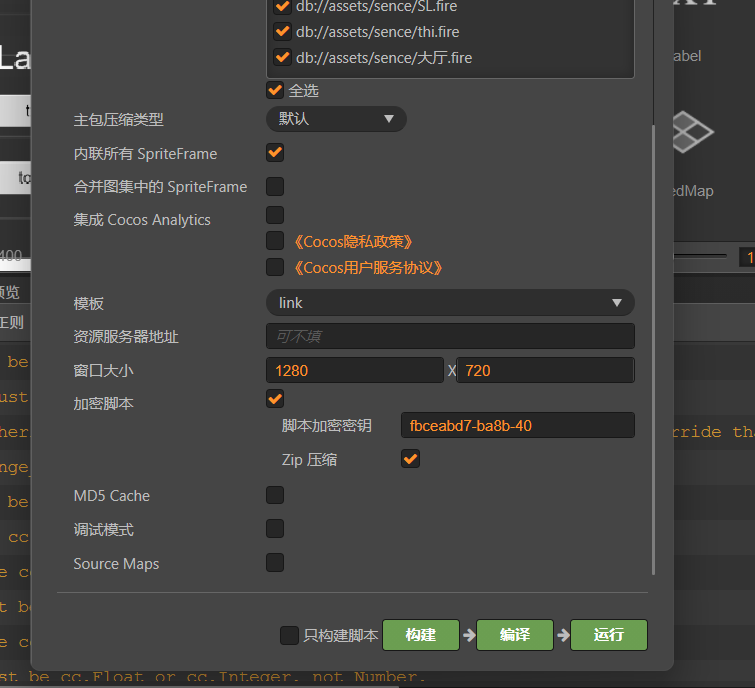
构建完成之后点开热更新工具
版本号填写要求:必须>=服务器上面的热更新版本
资源服务器url为http://ip:port/热更新资源包的目录,当然如果你的站点已经配备了ssl证书和域名了也可以的https://域名/热更新资源包的目录
按顺序点击生成热更新包,导入manifest
把project填到对我位置,不细说,去看阿信OLup里面怎么放的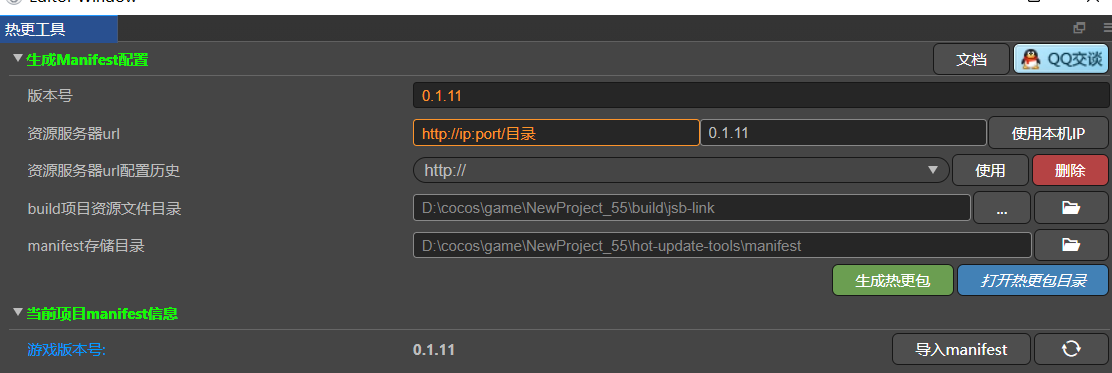
然后点击打开热更新包目录,比如说我上面写的是0.1.11版本的生成,那么我就把ver_0_1.11.zip这个热更新包复制到前面填写的http://ip:port/热更新资源包的目录,点击解压,我的目录是server,所以我填的就是http://ip:port/server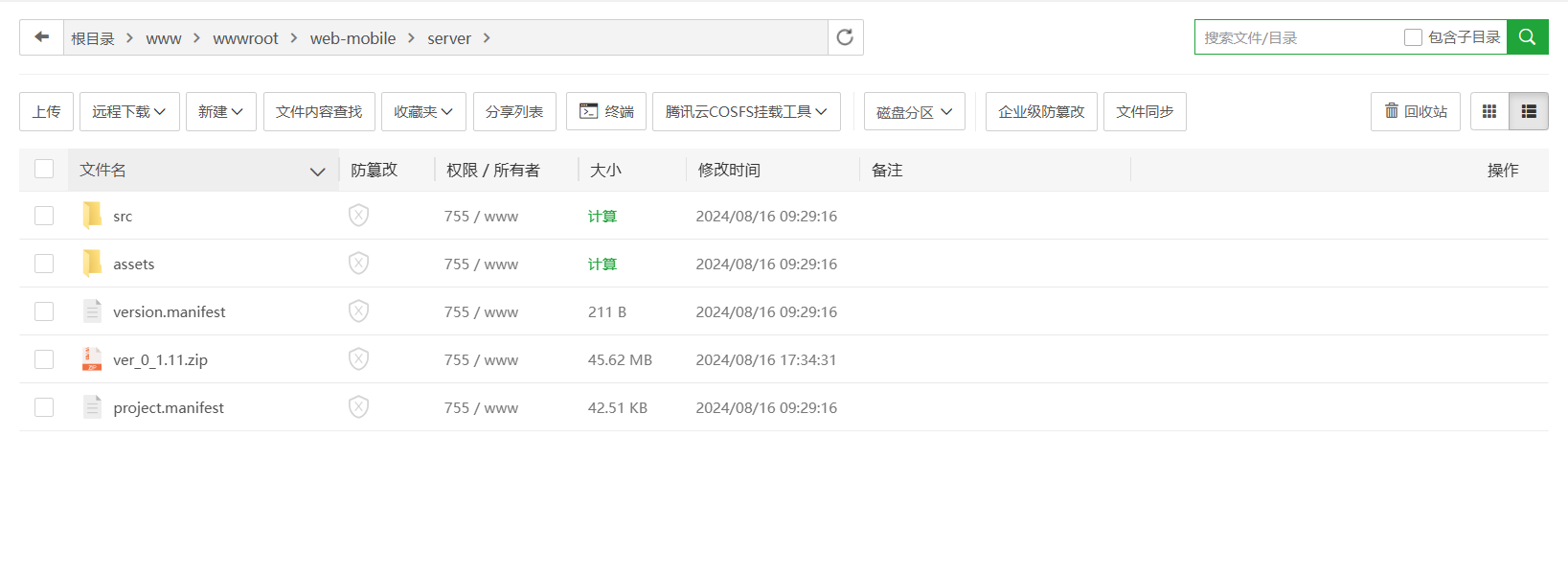
回到cocos,再去构建一次项目,打开你的发布路径,之后后面点击这些\build\jsb-link\frameworks\runtime-src\proj.win32
点击.sln文件打开vs,去编译一次就完事了,根据你的编译选择release或debug,会在Debug.win32和Release.win32出现你的编译结果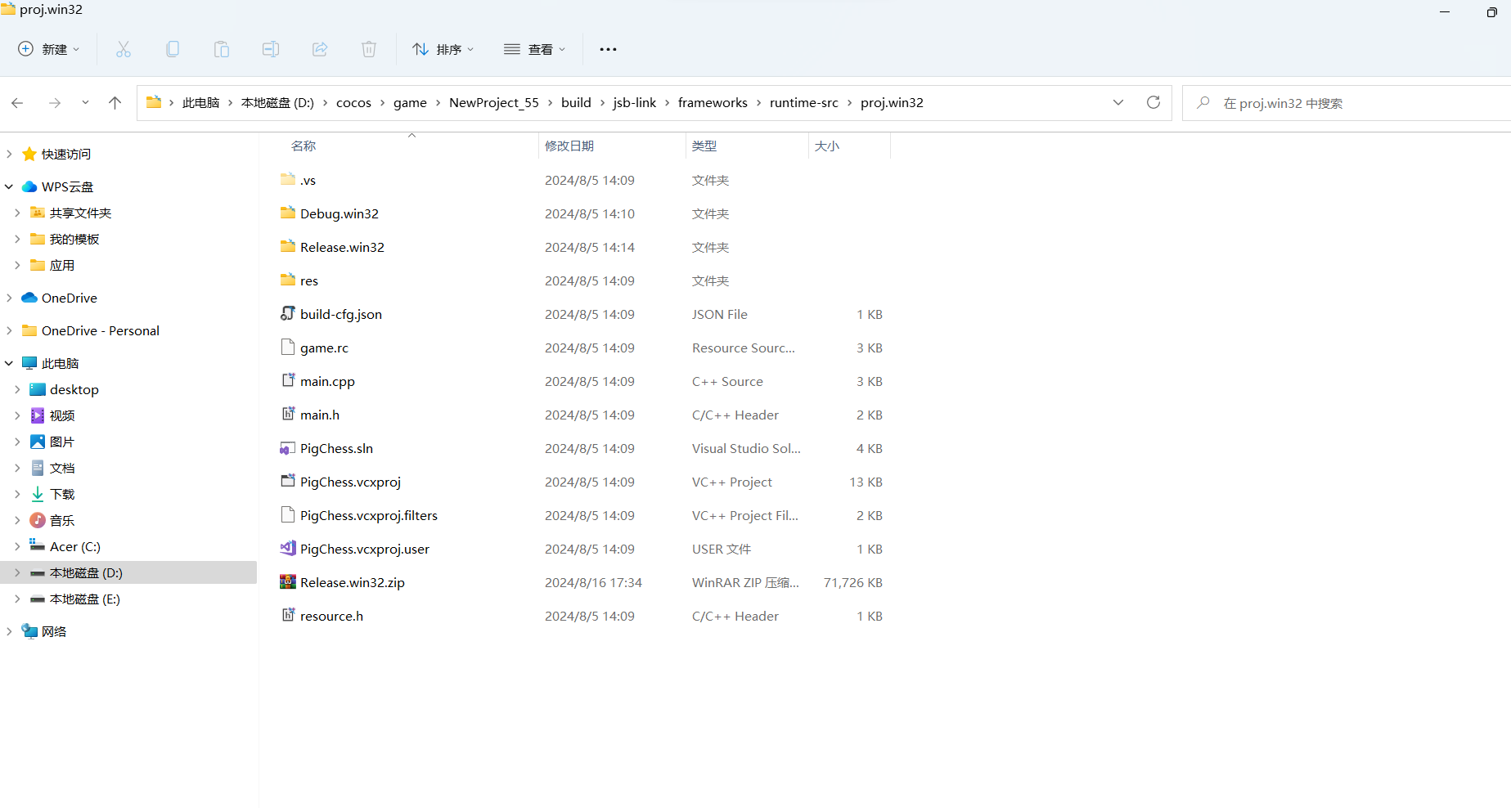
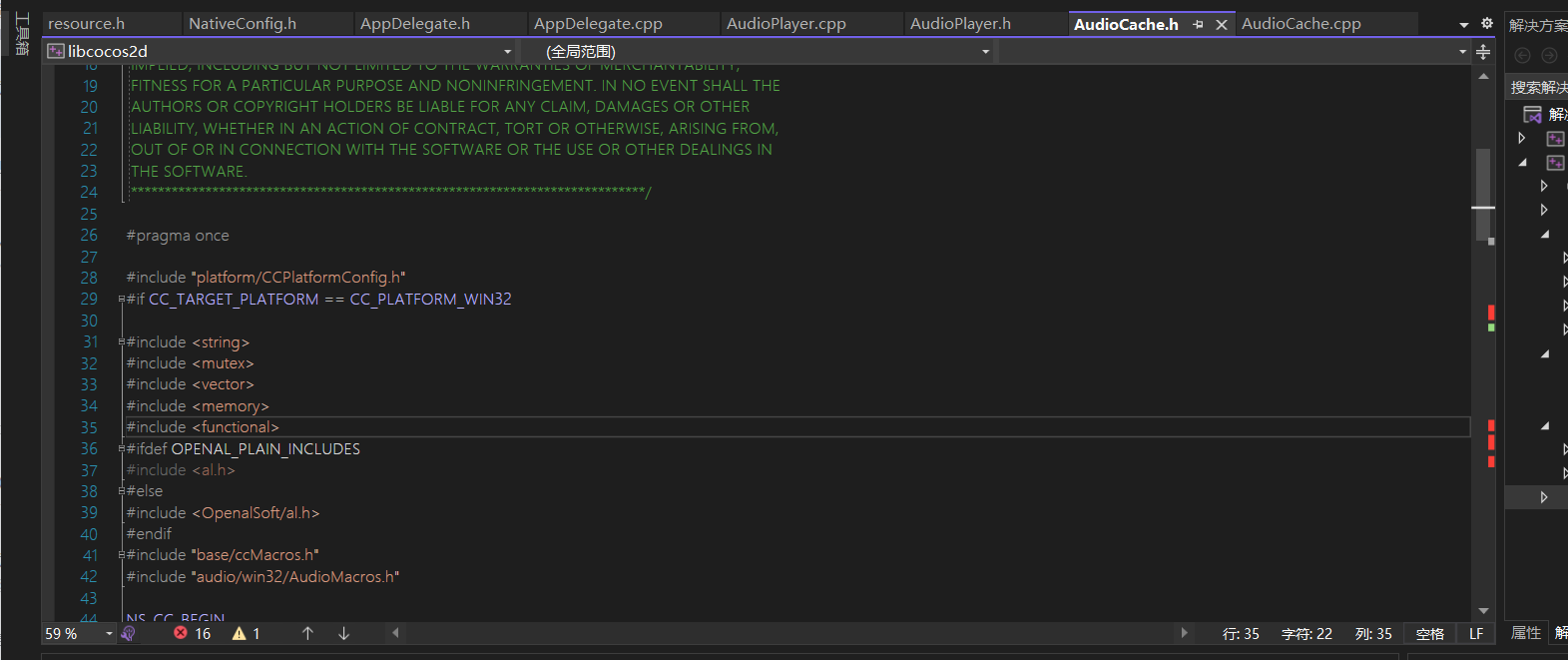
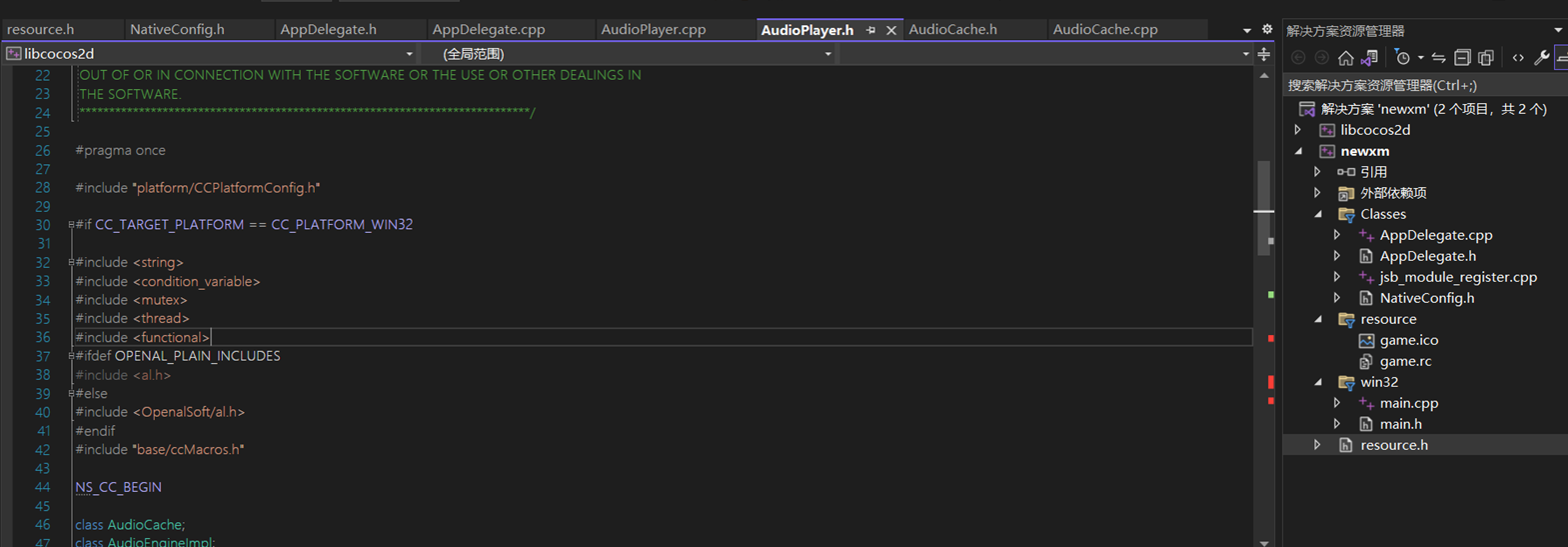
当然如果你是第一次搞vs编译cocos的pc项目的话可能不会成功,2-x的源码有点缺陷,有的地方少了,补回去就行了,其他报错不用管不影响编译
#include <functional>
ok至此,cocos的热更新并用vs编译pc项目就此结束,如果有问题那一定是你前面有东西漏了
评论已关闭